Blog

  • AI Chat, Brainstorming, Image Creation & Smart Productivity Tools

    AI Chat, Brainstorming, Image Creation & Smart Productivity Tools

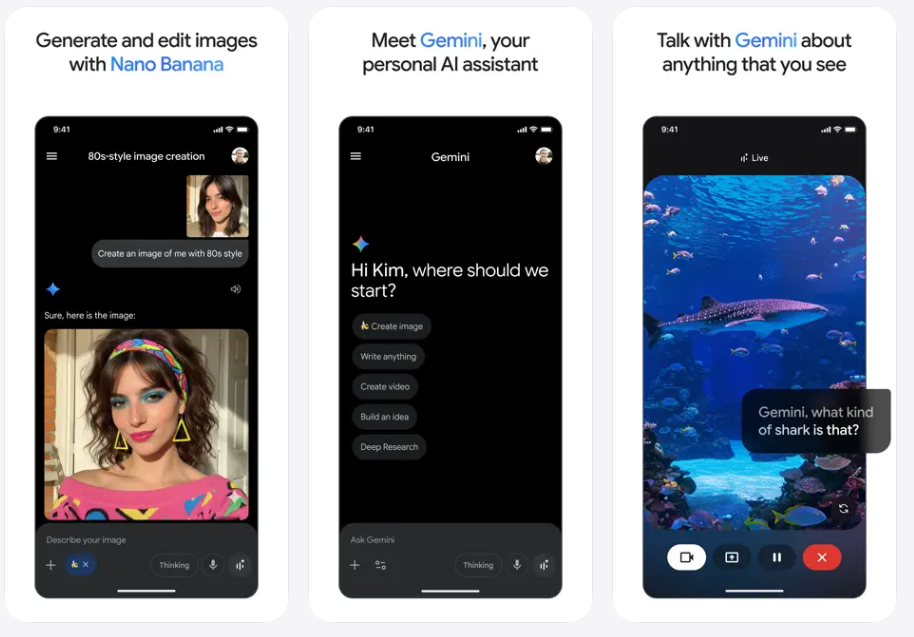
    The Google Gemini app is Google’s official artificial intelligence assistant available for iPhone and iPad. Instead of acting like a simple chat tool, Gemini is designed to be a powerful, proactive AI companion that helps you brainstorm ideas, solve problems, learn new things, create content, and explore information — all from your mobile device in a conversational way. P01


    🤖 What Is Google Gemini?

    Google Gemini is a generative AI assistant built by Google that combines advanced language understanding with creative and analytical capabilities. It’s the evolution of Google’s earlier AI tools and chatbots, designed to help users with:

    • Brainstorming ideas and solving complex problems
    • Generating text content (stories, emails, essays, summaries)
    • Creating and editing visuals and images from prompts
    • Exploring concepts with deep explanations and examples
    • Sharing your screen or camera in real time to get visual feedback or assistance

    The mobile app brings this AI right to your iPhone or iPad so you can interact with it on the go — whether you’re at home, traveling, or working.


    💡 Key Features You’ll Love

    🧠 Gemini Live Conversations

    Gemini’s Live mode lets you have free-flowing AI conversations where you can share your camera or screen to discuss anything you see — from homework problems to real-world objects — and get immediate suggestions or answers.

    ✍️ Writing, Planning & Brainstorming

    Need help with writing tasks, presentations, lesson planning, or creative projects? Gemini can help you produce content, refine ideas, or break down complex topics into simple explanations.

    🎨 Visual Creativity Tools

    Beyond text, Gemini lets you generate and edit images based on your prompts. You can design visuals, refine pictures, or experiment with creative concepts right from the app.

    📊 Productivity Tools

    Gemini assists with planning trips, summarizing long documents, creating flashcards or visual charts for study — making it useful for both work and education.


    🌍 Designed for iPhone & iPad

    The Gemini app was officially released on the App Store to expand access to Google’s generative AI beyond Android, so iPhone and iPad users can take advantage of the same powerful assistant. It supports dozens of languages and is optimized for mobile use with easy navigation and interactive tools.

    Whether you want to ask quick questions, rehearse for an upcoming event, or dive into creative tasks, Gemini adapts to your needs.


    📈 Real-World Benefits

    • Creative Assistant: Write better emails, essays, or social posts.
    • 📚 Learning & Study Help: Break down complex information quickly.
    • 🧑‍💻 Productivity Boost: Plan projects, trips, or daily tasks with AI support.
    • 🎨 Art & Design: Create concepts and visuals from simple prompts.
    • 👁 Visual-Driven Chats: Share your camera and get contextual assistance.

    👍 Pros

    • Intelligent AI that understands deep context and reasoning
    • Live camera and screen sharing for interactive help
    • Supports text, brainstorming, visual creation, and productivity
    • Easy to use on iPhone and iPad
    • Built on Google’s latest generative AI tech

    👎 Cons

    • Some advanced features may require in-app purchases or Google AI plans
    • Real-time device actions (like setting alarms) aren’t supported on iOS yet
    • Requires an internet connection for most AI features

    📌 Final Thoughts

    The Google Gemini app brings a powerful generative AI right to your iPhone or iPad. It goes beyond regular search or chatbot tools by offering rich interactions, creative tools, brainstorming support, and smart productivity features — all in a single mobile assistant.

    Get It Now

    Whether you’re a student, creative professional, or just someone who loves exploring ideas, Gemini offers a flexible and intuitive AI experience that adapts to your needs.
  • Fast, Smart & Easy Typing with Gesture, Voice & AI Suggestions

    Fast, Smart & Easy Typing with Gesture, Voice & AI Suggestions

    Gboard is Google’s official keyboard app for Android — and one of the most powerful and versatile keyboard tools available on mobile today. Instead of relying on your device’s default keyboard, Gboard gives you a smarter, faster, and more convenient typing experience with features that help you write better, communicate more expressively, and do it all with ease. C03

    Whether you’re sending messages, writing emails, searching the web, or updating social apps, Gboard turns everyday typing into a smoother, more enjoyable experience.


    ✍️ Smarter Typing with Predictive Suggestions

    At the heart of Gboard is its smart predictive text engine. As you type, the keyboard suggests the next word or corrects mistakes by analyzing context — helping you write quickly and accurately. These suggestions improve over time as Gboard learns your typing style and vocabulary.

    This intelligent prediction:

    • Reduces typing errors
    • Saves time
    • Makes text more natural and fluent

    🔤 Gesture & Glide Typing

    If tapping each letter isn’t your speed, Gboard gives you a faster alternative with Glide Typing. Simply drag your finger from letter to letter to form words — the keyboard predicts the intended word as you go. This is especially helpful when typing with one hand or on larger screens.

    Glide typing feels smooth, responsive, and accurate on most devices — turning long sentences into quick swipes.


    🗣️ Voice Typing & Speech Input

    When your hands are busy or you simply want to speak instead of type, Gboard’s voice typing feature listens and transcribes spoken words into text. Powered by Google’s speech recognition, this feature is great for:

    • Messages on the go
    • Notes and reminders
    • Faster text input
    • Accessibility support

    Voice input works seamlessly without complicated steps — just tap the microphone icon and speak naturally.


    🔎 Built-In Search & Quick Tools

    Gboard integrates Google Search right into the keyboard. This means you can search for:

    • Definitions
    • Directions
    • GIFs
    • Movie times
    • Sports results
    • Web links

    …without leaving the app you’re typing in. This saves time and makes conversations more fluid.

    You can also access emoji, stickers, and GIFs with a quick tap — perfect for expressive chats.


    🌐 Multilingual Support

    Gboard supports hundreds of languages, and you can enable more than one language at a time. Unlike some keyboards that require switching settings manually, Gboard automatically predicts text in multiple languages without extra steps — ideal for bilingual or multilingual users.

    This makes it easier to:

    • Chat in different languages
    • Mix languages in one sentence
    • Practice language learning in context

    🎨 Themes & Personalization

    Personalization is another strength of Gboard. You can choose from multiple themes, including:

    • Light and dark modes
    • Color gradients
    • Custom backgrounds using your own photos

    These themes let you tailor your keyboard look to your taste — whether you like a minimal aesthetic or a bold personal style.


    🔐 Privacy & Safety

    Google has designed Gboard with privacy in mind. While the keyboard uses local predictions on your device, it avoids uploading what you type to Google servers for prediction purposes unless you use features like search or voice input. You also have control over settings and can disable personalized suggestions if you prefer.

    This balance ensures better text prediction without compromising privacy.


    👍 Pros

    • Fast predictive suggestions for smooth typing
    • Gesture and voice typing options
    • Google Search built into the keyboard
    • Supports multiple languages seamlessly
    • Custom themes and personalization
    • Integrated emoji, GIF, and sticker search

    👎 Cons

    • Advanced features (like search or voice) rely on internet connection
    • Some users may find the suggestion bar distracting
    • Custom background images may reduce text contrast

    📌 Final Thoughts

    Gboard is one of the most complete keyboard apps for Android — combining speed, intelligence, customization, and convenience in one tool. Whether you’re a casual texter, a professional writer, or someone who uses multiple languages, Gboard adapts to your style and helps you type better, faster, and with less effort.

    Get It Now

    For anyone looking to upgrade their mobile typing experience, Gboard offers a reliable, feature-rich, and personalized keyboard experience that keeps up with modern communication needs.

  • The “Quiet” Promotion: How to Negotiate for Remote Perks Instead of a Traditional Raise.

    The “Quiet” Promotion: How to Negotiate for Remote Perks Instead of a Traditional Raise.

    In 2026, many companies are tightening their cash belts, leading to the rise of the “Quiet Promotion”—where employees are given more responsibility and a loftier title, but with no increase in their base salary.

    While a bigger paycheck is the gold standard, it isn’t the only way to increase your net worth or quality of life. If your manager says “the budget is frozen,” it’s time to pivot the conversation toward Remote Perks. These benefits often come from different budget pools (like Operations or HR) and can save you thousands in taxes, time, and expenses.


    💰 Why Remote Perks Can Be Better Than Cash

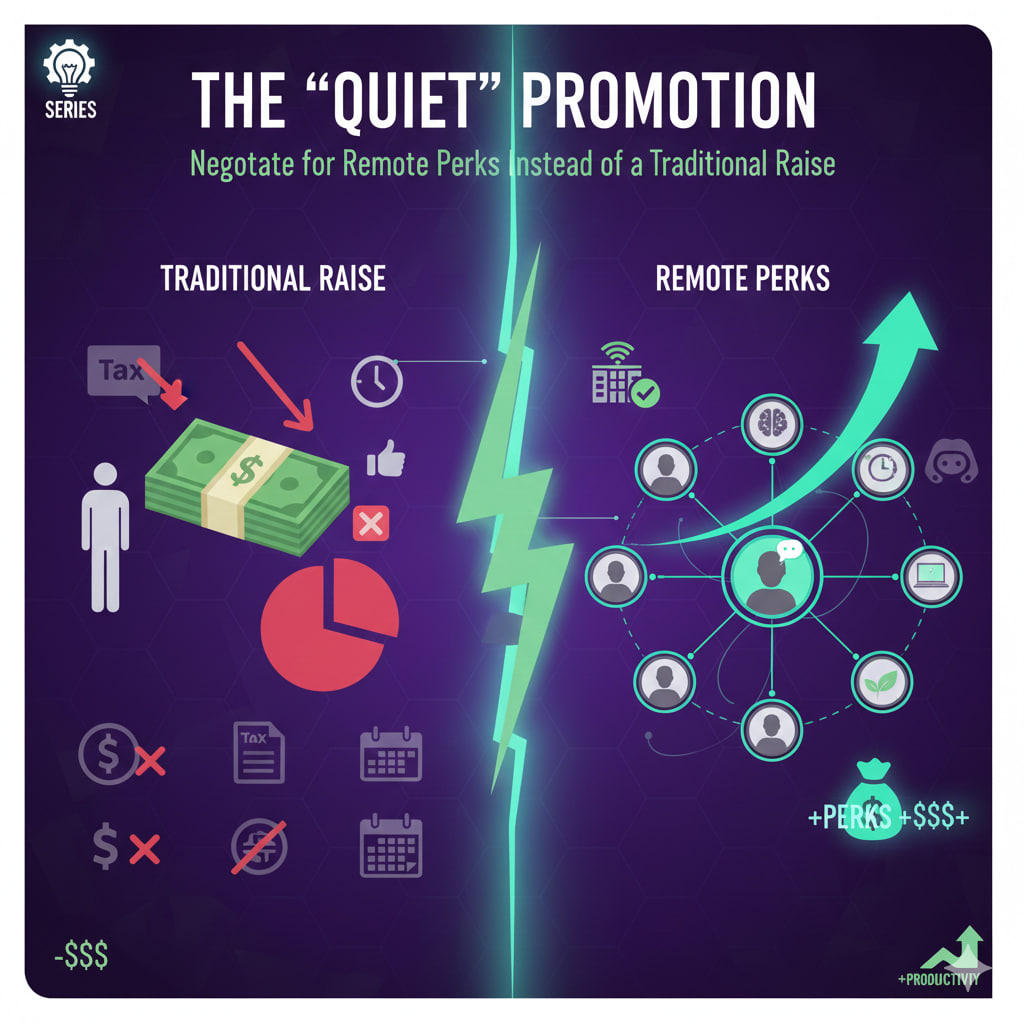
    A traditional $5,000 raise isn’t actually $5,000. After federal, state, and payroll taxes, you might only see $3,200–$3,500 in your bank account over a year.

    However, many remote perks are tax-advantaged or direct expense reimbursements. If the company pays for your high-speed internet and $200/month co-working membership, that is “tax-free” value that stays entirely in your pocket.


    🛠️ 5 High-Value Perks to Negotiate For

    1. The “Geographic Neutral” Salary Clause

    If you move from a high-cost city (like San Francisco) to a lower-cost area (like Lisbon or Austin), many companies try to “adjust” your pay downward. Negotiate for a Locality Pay Freeze, ensuring your salary remains the same regardless of your zip code. This is an immediate, massive increase in your purchasing power.

    2. Professional Development & Coaching Credits

    In the AI-driven market of 2026, your skills are your currency. Negotiate for a dedicated annual budget (e.g., $3,000) for specialized certifications, 1-on-1 executive coaching, or attending international conferences.

    3. The “Stipend Trio”: Tech, Wellness, and Utilities

    Request a monthly non-taxable stipend to cover the overhead of your home office:

    • Connectivity: Gigabit internet and a dedicated 5G backup line.
    • Ergonomics: A recurring “hardware refresh” budget every 24 months.
    • Health: Credits for local gym memberships or specialized mental health apps.

    4. Asynchronous Sovereignty (Flex-Time)

    Instead of more money, ask for Core Hours. Negotiate a schedule where you only need to be online and available from 10:00 AM to 2:00 PM. Outside of those four hours, you work whenever you want. The value of reclaiming your mornings or afternoons is a massive “lifestyle ROI.”

    5. Paid Sabbatical Accrual

    Negotiate for an extra week of “focused leave” for every year you stay with the company. This isn’t just vacation; it’s a dedicated, paid block of time for deep work, travel, or personal projects that prevents the burnout typical of “Quiet Promotions.”


    📈 The Negotiation Framework: “Value-In, Value-Out”

    Don’t just ask for perks; frame them as a way to increase your output. Use the Interest-Based Negotiation model to align your needs with the company’s goals.

    You Say…The Hidden Benefit for the Boss
    “I’d like a $200/mo co-working stipend.”“I will be more productive in a professional environment.”
    “I’d like a 4-day work week or flex-hours.”“I am prioritizing ‘Deep Work’ blocks to hit my KPIs faster.”
    “I want a $2k tech refresh budget.”“I will have zero downtime due to hardware failure.”

    💡 The Final Move: Get it in Writing

    A “handshake deal” on remote perks often disappears when a new manager arrives. Ensure that any non-cash benefits are added as a formal addendum to your employment contract.

  • Ergonomics on a Budget: Transform Your Kitchen Table Into a High-Performance Workspace.

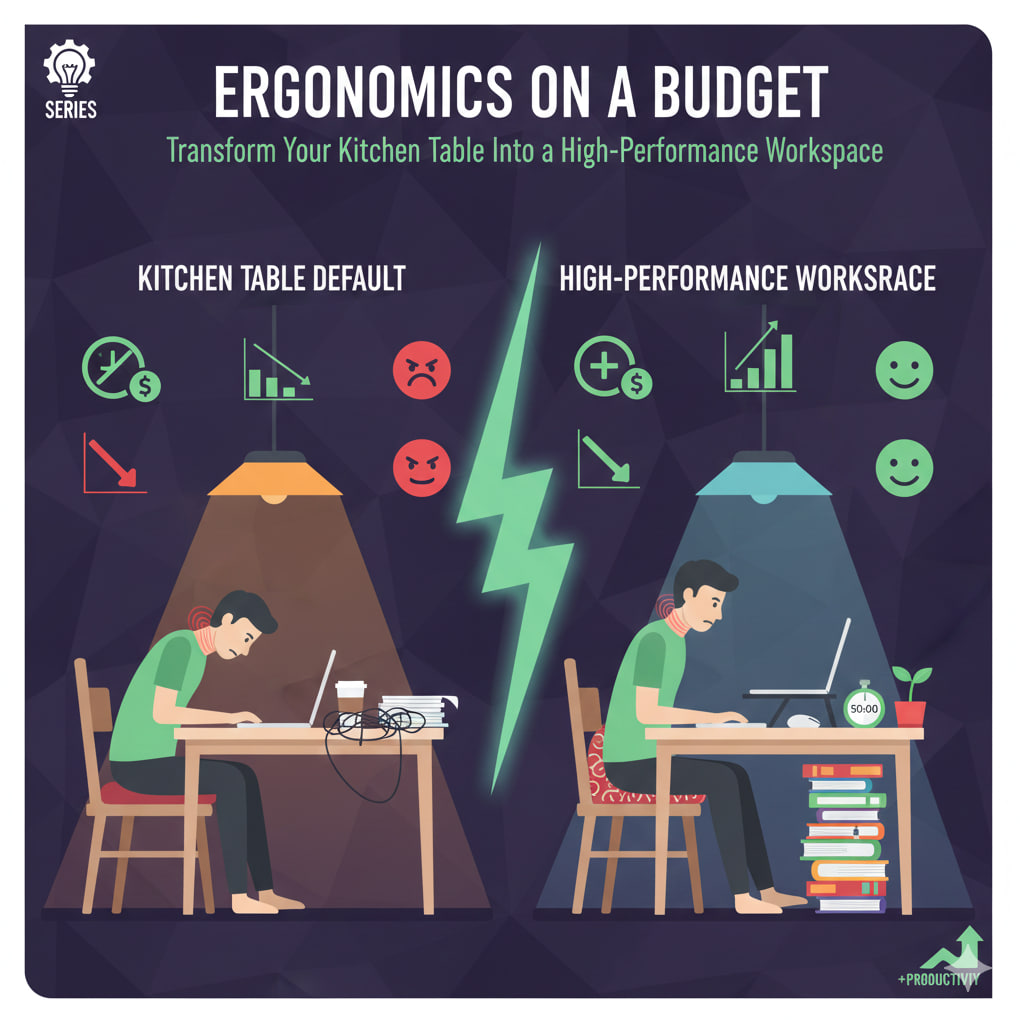
    Ergonomics on a Budget: Transform Your Kitchen Table Into a High-Performance Workspace.

    Ergonomics on a Budget: Transform Your Kitchen Table Into a High-Performance Workspace

    By 2026, the “temporary” kitchen table office has become a permanent reality for millions. However, dining furniture is designed for eating, not for 8-hour spreadsheets. Most kitchen tables are 2–3 inches too high for ergonomic typing, and dining chairs lack the lumbar support needed to prevent “Tech Neck.”

    You don’t need a $1,200 Herman Miller chair to fix this. You can build a pro-grade setup using items already in your pantry.


    🪑 1. The “Dining Chair” Hack

    Standard dining chairs are static and often too low. To achieve the 90-degree elbow rule:

    • The Seat Boost: If your table feels too high (shoulders shrugging), sit on a firm decorative pillow or a folded wool blanket. Avoid soft bed pillows; they bottom out and kill your circulation.
    • The Lumbar Roll: Take a medium-sized bath towel, roll it tight, and secure it with rubber bands. Place it in the small of your back. This forces your spine into its natural “S” curve.
    • The Footrest: If you raised your seat, your feet might dangle. Use a sturdy shoebox or a stack of heavy cookbooks (looking at you, Joy of Cooking) to keep your feet flat. This takes the pressure off your lower back.

    💻 2. The Eye-Level Laptop

    Looking down at a laptop for hours is the #1 cause of cervical spine strain.

    • The DIY Riser: Stack board games or Amazon boxes until the top third of your laptop screen is at eye level.
    • The Mandatory Peripheral: Once your laptop is raised, you must use an external keyboard and mouse. Using a raised laptop’s built-in keyboard will cause wrist extension injuries (Carpal Tunnel).
      • Budget Tip: In 2026, a basic wireless Logitech combo costs less than $25—cheaper than a single physical therapy session.

    💡 3. Lighting & Vision

    Kitchen lighting is usually “warm” and overhead, which causes screen glare and eye fatigue.

    • The Window Rule: Position your table so the window is to your side, not in front of or behind you. This eliminates “backlighting” and direct glare.
    • The 20-20-20 Rule: Every 20 minutes, look at an object 20 feet away for 20 seconds.

    📊 The “Kitchen vs. Office” Specs

    FeatureKitchen Table DefaultErgonomic TargetDIY Fix
    Height30″ (Too high)27–28″Raise chair with firm cushions.
    Back Support90° Hard Wood110° Recline + LumbarRolled towel in lower back.
    Monitor Pos.15° Downward Tilt0° (Eye Level)Stack of books or boxes.
    Foot Pos.Danging/TuckedFlat on FloorShoebox or “Foot Book.”

    🛠️ The 3-Minute “Reset”

    Since you’re in the kitchen, use your appliances as productivity hacks. Set a kitchen timer for 50 minutes. When it dings, you are legally required to:

    1. Stand up and do 5 “Wall Slides” (flatten your back against a wall and slide down).
    2. Refill your water.
    3. Stretch your hip flexors (the muscles that tighten most from sitting in dining chairs).

    The 2026 Reality: Your “workspace” is a mindset, not a piece of furniture. By adjusting your environment to fit your body—rather than forcing your body to fit the table—you’ll finish your Friday with a clear head instead of a stiff neck.

  • The Ghost Job Phenomenon: How to Spot Fake Remote Listings Before You Apply.

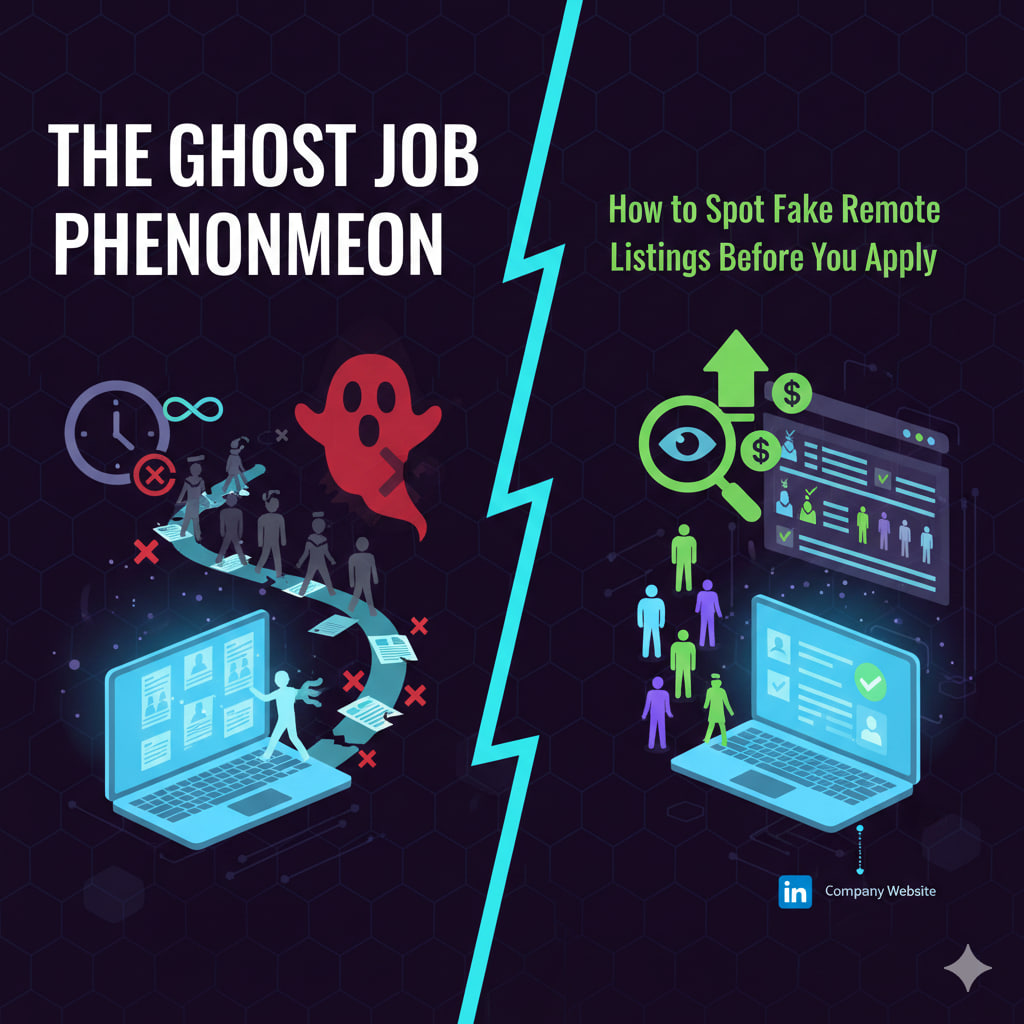
    The Ghost Job Phenomenon: How to Spot Fake Remote Listings Before You Apply.

    In 2026, the remote job market is more competitive than ever. However, a frustrating trend has emerged: Ghost Jobs. These are active job listings for positions that the company has no immediate intention of filling.

    According to recent labor data, nearly 30% of active remote listings are currently “ghosts.” Applying to them is a waste of your most valuable resource—your time.


    🕵️ Why Do Companies Post Ghost Jobs?

    It’s rarely a technical glitch. Usually, it’s a calculated business move:

    • The “Evergreen” Talent Pool: Companies want a backlog of resumes so that when someone does quit, they can hire instantly.
    • Morale Signaling: It makes a company look like it’s growing to investors and over-worked current employees.
    • Market Research: They are testing the “talent waters” to see what skills are currently available and at what salary.

    🚩 5 Red Flags of a Ghost Listing

    1. The “Forever” Post

    If a job was posted “30+ days ago” and keeps being refreshed or reposted every few weeks without being filled, it’s likely a ghost. Most legitimate remote roles in 2026 are flooded with applicants and closed within 7–14 days.

    2. Vague or “Perfect” Requirements

    Ghost jobs often use generic descriptions that sound like they were written by a basic AI. If the job description is a list of “standard” skills (e.g., “Good communication,” “Proficient in Office”) without specific project goals or team structures, be wary.

    3. The Missing Hiring Manager

    Check LinkedIn. If a company is hiring for a “Senior Product Manager” but no one in the company has “Recruiter” or “Hiring Manager” in their activity feed talking about the role, the position might not be real.

    4. No “Urgency” in the Interview Process

    If you apply and get an automated “We’ll keep you on file” within minutes, or if the initial screener is an AI bot that doesn’t lead to a human calendar invite, you’ve likely entered a data-harvesting funnel.

    5. Unusual Salary Ranges

    In 2026, pay transparency is the law in many regions. If a remote job has a massive, unrealistic range (e.g., $60,000 – $240,000), they aren’t looking for a specific person; they are gathering data on what people will accept.


    🛠️ How to Protect Your Time

    • Verify on the Company Site: Never apply solely through a third-party board (like LinkedIn or Indeed). Go to the company’s “Careers” page. If it’s not there, it’s a ghost.
    • The “Boiling Point” Test: Prioritize jobs posted in the last 48 hours.
    • Leverage Your Network: Before applying, message a current employee. A simple “Hi, I saw the remote Developer opening—is the team actively interviewing right now?” can save you hours of work.

    📊 The Remote Job Reality Check

    FeatureReal Remote JobGhost Job
    Posting Age1–10 days30+ days (or “reposted”)
    DescriptionSpecific projects/toolsGeneric/Standardized
    ResponseHuman contact within 1 weekAutomated “Talent Pool” email
    LinkedIn Status“Actively Hiring” tag with a recruiterNo associated recruiter
  • The Algorithm Whisperer: How Content Creators Are Beating the Feed to Build Real Communities.

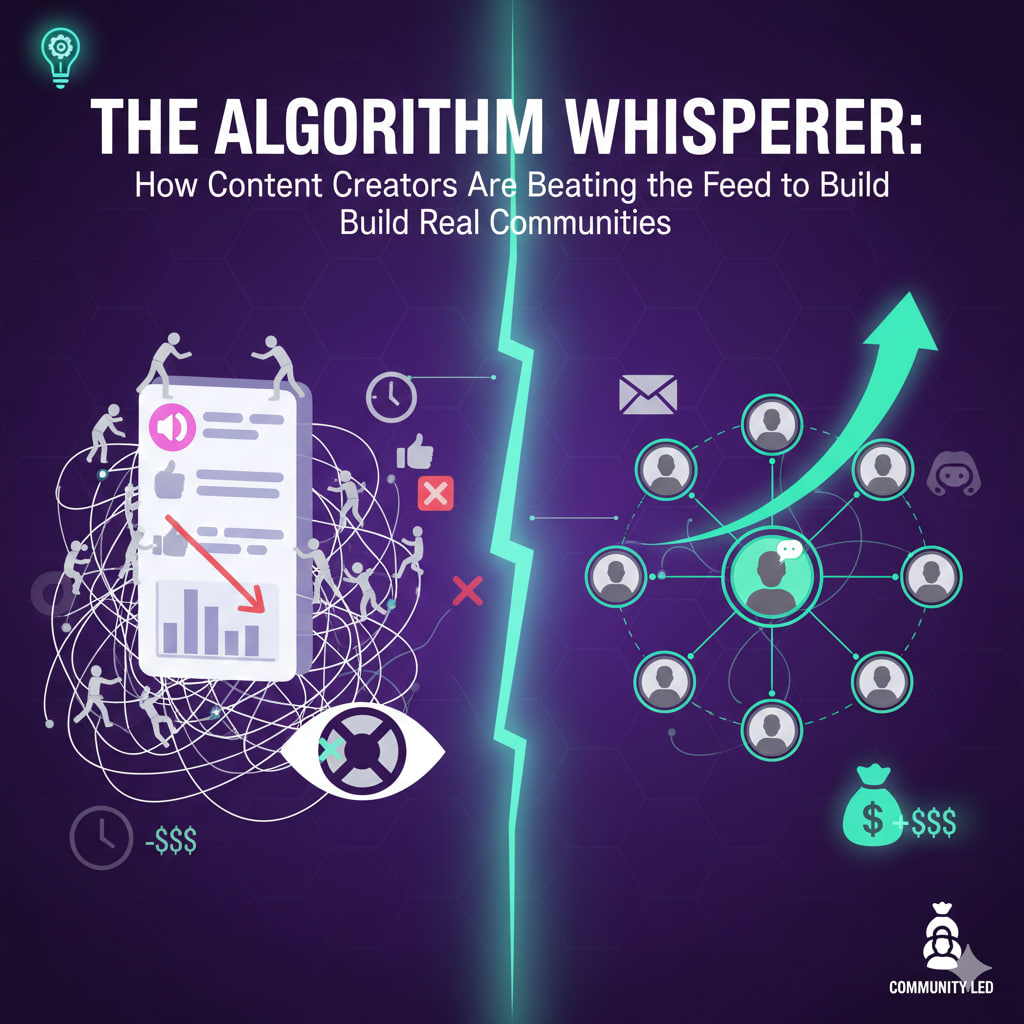
    The Algorithm Whisperer: How Content Creators Are Beating the Feed to Build Real Communities.

    By 2026, the “Golden Age” of social media reach is over. Algorithms on platforms like TikTok, Instagram, and X have become so crowded that even creators with millions of followers are seeing their engagement plummet. The feed has become a slot machine, and the house always wins.

    But a new class of creator is emerging: The Algorithm Whisperer. These creators aren’t trying to “go viral.” Instead, they are strategically bypassing the feed to build “un-cancellable” communities.


    📉 The Death of the “Passive Follower”

    In the past, a “follow” was a contract: I post, you see it. Today, that contract is broken. Platforms now prioritize “Discovery” (showing you strangers) over “Subscription” (showing you what you chose).

    Algorithm Whisperers have realized that 1,000 “True Fans” in a private space are worth 1,000,000 “Passive Followers” on a public feed.


    🛠️ The 3 Pillars of the “Feed-Proof” Strategy

    1. The “Platform Migration” Loop

    Top creators now use the big algorithms as a “top-of-funnel” filter. They post broad, catchy content on TikTok only to drive users to “Deep-Dive” platforms they own or control:

    • Substack/Beehiiv: Direct access to an inbox.
    • Discord/Skool: Real-time, peer-to-peer interaction.
    • WhatsApp Channels: Instant, high-open-rate updates.

    2. Community as the Feature

    The content is no longer the product—the community is. Whisperers facilitate conversations between their followers. When followers start making friends within a creator’s ecosystem, they stay for the people, not just the posts. This creates a “sticky” environment that no algorithm can disrupt.

    3. Hyper-Niche Authority

    Rather than trying to appeal to everyone, creators are leaning into “micro-verticals.” Whether it’s mechanical keyboard restoration or regenerative urban farming, being the “big fish” in a small, passionate pond ensures that your audience will actively seek you out, even if the algorithm hides you.


    📊 The Value Shift: 2021 vs. 2026

    MetricThe “Viral” Era (2021)The “Whisperer” Era (2026)
    Primary GoalTotal View CountCommunity Sentiment/Retention
    Success IndicatorGoing ViralHigh “Direct Traffic” (Search/Bookmarks)
    MonetizationAd Revenue (Pennies)Memberships & Direct Digital Goods
    RelationshipCreator → AudienceCreator ↔ Audience ↔ Audience

    💡 How to Become an Algorithm Whisperer

    If you’re a creator, stop checking your “Views” and start checking your “Migration Rate.”

    • Ask: “If Instagram deleted my account tomorrow, how many people would know where to find me?”
    • Action: Start a weekly newsletter or a private community space today. Give your followers a reason to leave the feed and join you in a place where the algorithm can’t get between you.
  • Hidden Gems: 7 Indie Games You Missed This Year That Outshine the AAA Blockbusters.

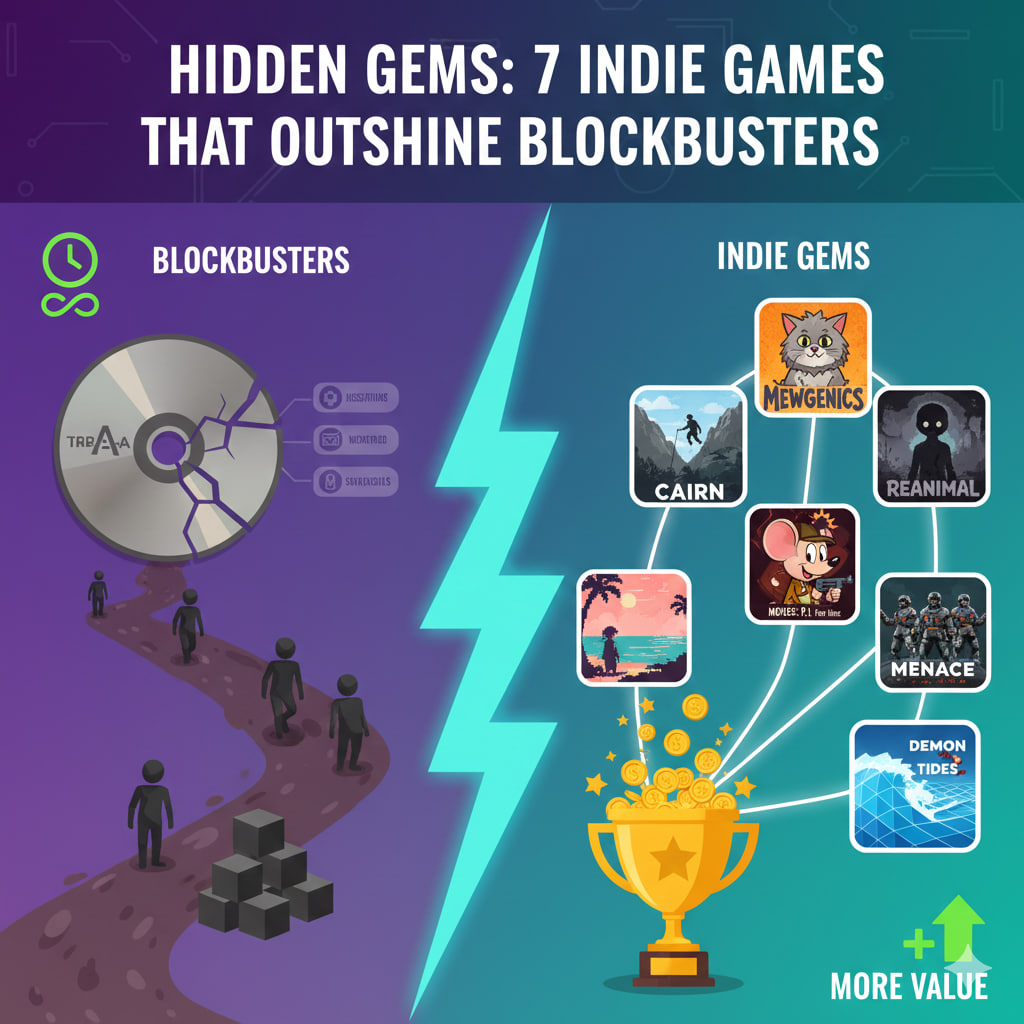
    Hidden Gems: 7 Indie Games You Missed This Year That Outshine the AAA Blockbusters.

    Hidden Gems: 7 Indie Games You Missed This Year That Outshine the AAA Blockbusters

    In early 2026, the gaming landscape has reached a boiling point. While massive “AAA” studios are struggling with $300 million budgets and safe, repetitive sequels, the indie scene is having a creative renaissance. From cat-breeding tactical roguelites to “climb-anywhere” mountain sims, small teams are delivering the innovation that big-budget games have abandoned.

    If you’re tired of “map-marker fatigue,” here are 7 indie masterpieces from the first quarter of 2026 that you need to play right now.


    1. Mewgenics

    Developer: Edmund McMillen & Tyler Glaiel

    The Vibe: The Binding of Isaac meets Pokémon… but much weirder.

    Released in February, this “cat-breeding tactics roguelite” is a masterpiece of complex systems. You manage generations of felines, breeding them for specific traits and mutations before sending your eccentric army into turn-based combat. It’s gross, it’s hilarious, and its depth puts most modern RPGs to shame.

    2. Cairn

    Developer: Game Bakers

    The Vibe: A realistic, meditative survival-climber.

    Forget the automated “press A to parkour” mechanics of Assassin’s Creed. In Cairn, every piton you drive into the rock and every shift of your weight matters. It’s a beautiful, punishing journey up a deadly mountain that makes reaching the summit feel more rewarding than any boss fight in a blockbuster.

    3. Reanimal

    Developer: Tarsier Studios

    The Vibe: The spiritual successor to Little Nightmares.

    From the original creators of the Little Nightmares series, Reanimal is a co-op horror adventure that is genuinely unsettling. It follows two siblings through a nightmarish, distorted island. The creature design is legendary, proving that atmosphere and art direction are far more terrifying than 8K resolution textures.

    4. MOUSE: P.I. For Hire

    Developer: Fumi Games

    The Vibe: A 1930s rubber-hose cartoon as a first-person shooter.

    Visually, this is the most striking game of 2026. It looks exactly like a hand-drawn Steamboat Willie-era cartoon, but plays like a high-octane shooter. It’s a violent, jazz-fueled romp that proves indie devs are the only ones willing to take massive risks with visual style.

    5. Perfect Tides: Station to Station

    Developer: Three Bees

    The Vibe: A poignant coming-of-age point-and-click.

    Indie games continue to dominate the “narrative” space. This sequel to the cult hit Perfect Tides follows Mara as she navigates the whiplash of young adulthood in the big city. Its writing is sharper and more emotionally honest than any “cinematic” AAA script you’ll find this year.

    6. Menace

    Developer: Overhype Studios

    The Vibe: Gritty, turn-based tactical sci-fi.

    From the makers of Battle Brothers, Menace puts you in command of a strike force on a chaotic frontier planet. It’s a “thinking person’s” game—deep squad management, permanent consequences, and tactical combat that feels like a high-stakes chess match with lasers.

    7. Demon Tides

    Developer: TBD

    The Vibe: A high-speed, oceanic 3D platformer.

    Imagine a 3D platformer with the speed of Sonic but the fluid exploration of Sly Cooper. You streak across an oceanic overworld, wall-running and transforming to uncover secrets. It’s colorful, polished, and reminds us that games are allowed to be purely, unapologetically fun.


    📊 Why These Gems Are Winning

    FeatureAAA Blockbusters2026 Indie Gems
    InnovationLow (Sequels/Remakes)High (New Mechanics)
    Price$70 + Microtransactions$15–$30 (One-time buy)
    Art StylePhotorealism (often bland)Unique (Hand-drawn, Pixel, Lo-fi)
    Time Sink100+ Hours of “Filler”10–20 Hours of “Premium” Content
  • The Streaming Fatigue: Why We’re Returning to Physical Media and “Appointment” TV.

    The Streaming Fatigue: Why We’re Returning to Physical Media and “Appointment” TV.

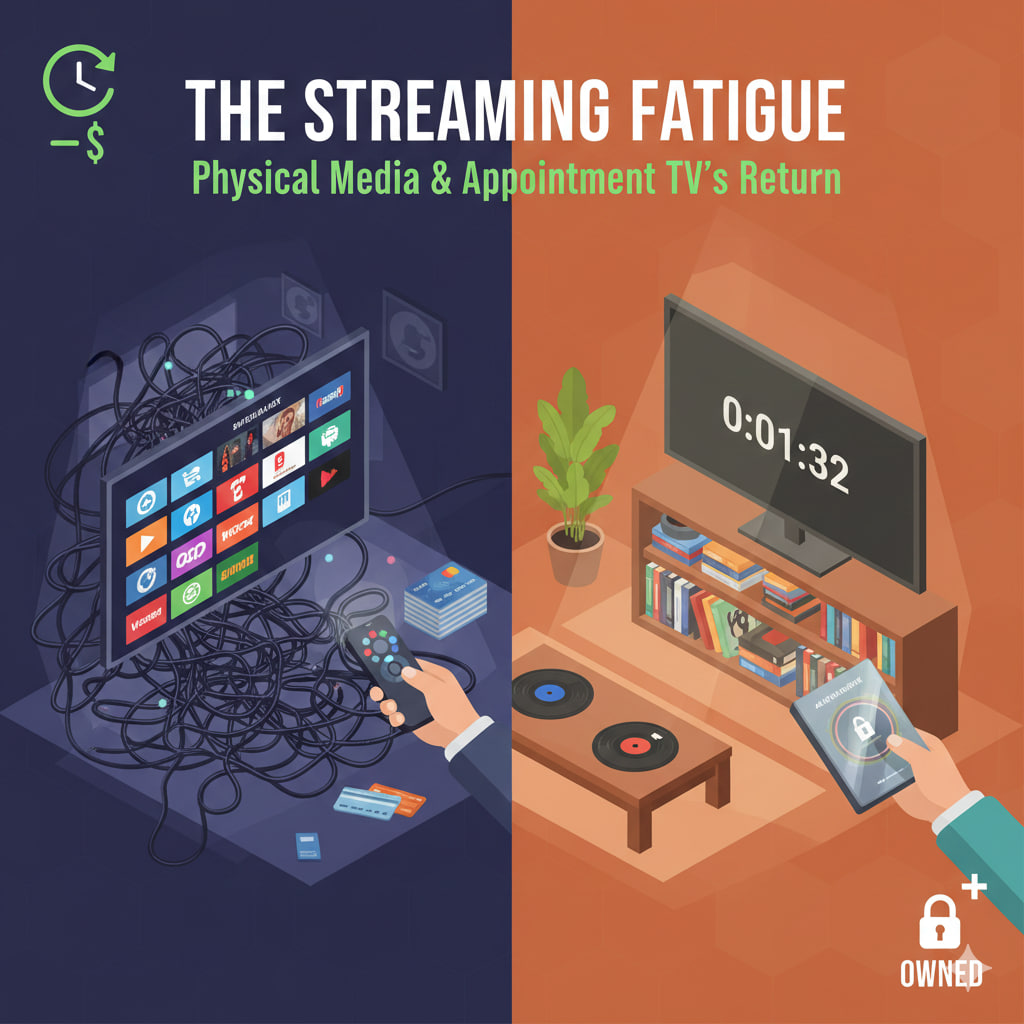
    For the last decade, we were told the future was “on-demand.” We traded our DVD shelves for subscriptions and our TV schedules for binging. But in 2026, a shift is happening. The infinite scroll of Netflix and Disney+ has led to a collective burnout, and surprisingly, the “old ways” of watching are becoming the new luxury.+1

    This isn’t just nostalgia; it’s a tactical retreat from Digital Fatigue.


    💿 The Great Physical Rebound

    In 2024–2025, vinyl sales reached heights not seen since the 1980s, and by early 2026, 4K Blu-rays and physical books have followed suit. Why?

    • The Ownership Gap: In the “rental economy,” you own nothing. When a streaming service loses a licensing deal, your favorite movie vanishes from your library. Physical media is a one-time purchase that no algorithm can delete.+1
    • The Sensory Experience: Gen Z is leading the charge, valuing the “ritual” of sliding a disc into a player or flipping a page. In a world of haptic glass, tangible objects feel more “real.”+1
    • Quality Over Bandwidth: Even 4K streaming is compressed to save data. For home theater enthusiasts, a physical 4K disc provides 3x the bit-rate and lossless audio that streaming simply cannot match.

    📺 The Return of “Appointment” TV

    The binge model (releasing all episodes at once) is dying. Streamers are returning to weekly “Appointment” releases for a simple reason: The Watercooler Effect.

    1. Anti-Spoiler Culture: When everyone watches an episode at the same time (like live sports or the latest Stranger Things drop), it creates a shared cultural moment. You have to watch it “now” to participate in the group chat.
    2. Extended Hype: A binge-dropped show is forgotten in two weeks. A weekly show keeps a brand in the headlines for three months.
    3. The “Slow-TV” Movement: We are rediscovering the joy of having something to look forward to on a Tuesday night. It adds a sense of structure to our otherwise chaotic digital lives.

    📊 The Cost of Fatigue (By the Numbers)

    MetricThe Streaming Era (2018-2023)The “Recalibration” (2026)
    Subscription Count5–8 per householdConsolidated to 2–3 + selective physical buys
    Content Discovery20+ mins of “infinite scrolling”Curated “Appointment” viewing
    Video QualityVariable (based on Wi-Fi)Consistent & High (Physical/UHD)
    Price Factor“Cheaper than Cable”Rising costs causing 40% cancellation rates

    🛠️ How to “Unplug” Your Entertainment

    If you’re feeling the fatigue, you don’t have to cancel everything. Try a Hybrid Model:

    • Keep 1-2 Essential Streamers: For daily background noise or kids’ content.
    • Buy the “Forever” Collection: Buy physical copies of the 10 movies or shows you re-watch every year.
    • The “Friday Night” Rule: Pick one show that releases weekly and make it an event—phones off, snacks ready, no binging allowed.

    The 2026 Reality: Convenience is a commodity, but intentionality is a luxury. The most satisfied viewers this year aren’t the ones with the most content, but the ones with the most control.

  • The Authenticity ROI: Why Transparency is the Most Profitable Marketing Move You Can Make.

    The Authenticity ROI: Why Transparency is the Most Profitable Marketing Move You Can Make.

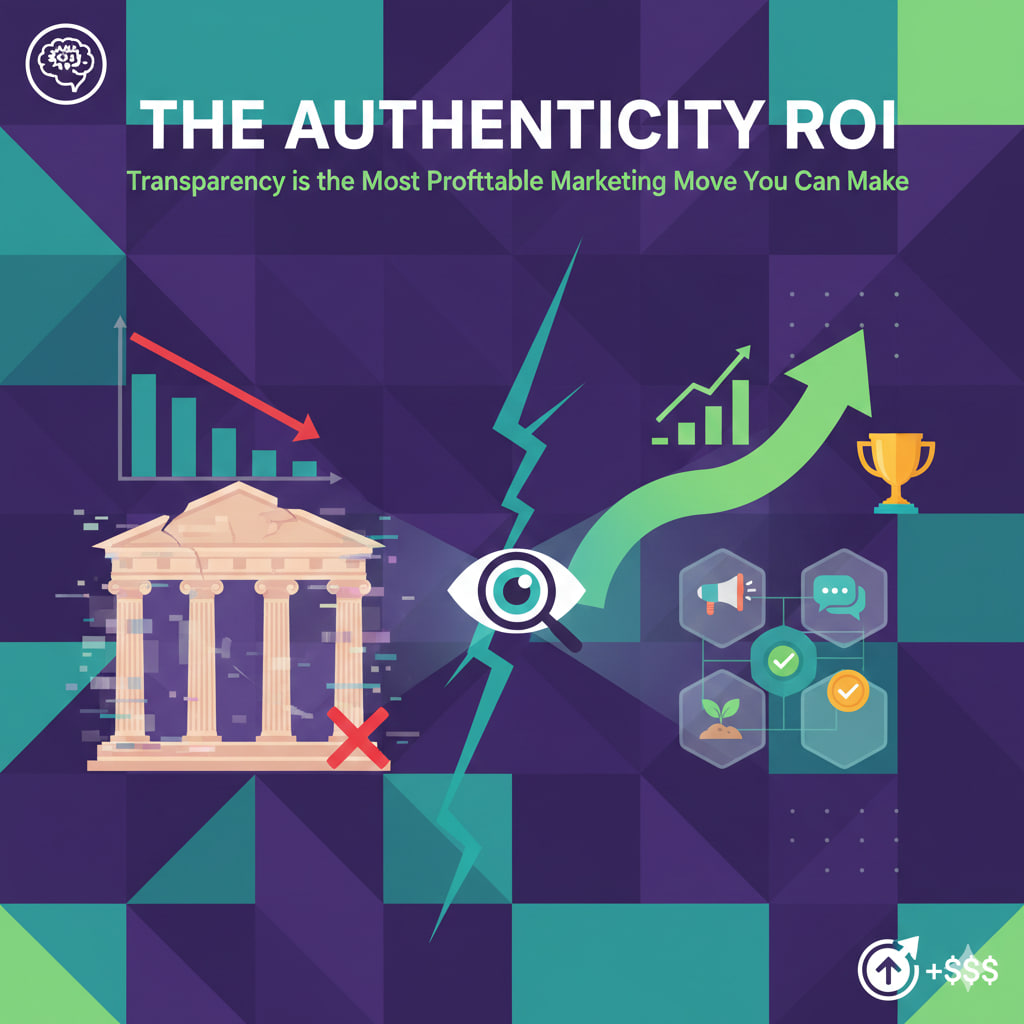
    In 2026, we are living through a “Truth Crisis.” With the internet flooded by AI-generated deepfakes and overly polished “corporate-speak,” consumers have developed a hyper-sensitive radar for anything that feels fake.

    The result? Authenticity has shifted from a “nice-to-have” value to a measurable financial asset. When you stop trying to look perfect and start being transparent, you don’t just win trust—you win the market.


    📉 The High Cost of the “Perfect” Facade

    Companies that spend millions airbrushing their image are seeing diminishing returns. Why?

    • The Skepticism Tax: Modern consumers (especially Gen Z and Gen Alpha) assume a “perfect” brand is hiding something.
    • The Correction Cycle: If you hide a flaw and the internet finds it (which it always does), the cost of the PR cleanup is 10x the cost of just admitting the flaw upfront.

    💰 How Transparency Drives ROI

    Transparency isn’t just about admitting mistakes; it’s a strategic marketing tool that lowers costs and increases loyalty.

    1. Lower Customer Acquisition Cost (CAC)

    When you are transparent about who your product is not for, you stop wasting ad spend on the wrong leads. By saying, “Our software is great for freelancers but too simple for large corporations,” you build instant credibility with the freelancers who actually need you.

    2. The “Flaw-Fidelity” Effect

    Psychological studies show that people trust a 4.2-star rated product with honest, mixed reviews more than a “perfect” 5.0-star product. Transparency creates a “human” connection that makes customers more likely to forgive minor hiccups later on.+1

    3. Radically Reduced Churn

    Transparency in pricing and “building in public” gives customers a sense of ownership. If they know why a price is increasing or how a feature is being built, they are far less likely to cancel their subscription.+1


    🛠️ 3 Ways to Inject Transparency Today

    • The “Anti-Pitch”: In your next marketing campaign, lead with a limitation. Example: “It’s not the cheapest option on the market, but it’s the only one that guarantees 99.9% uptime.”
    • The “Behind the Curtain” Content: Share your internal processes, your failures, and your “unfiltered” meetings. This creates a “parasocial” bond where the customer feels like an insider.
    • The Honest Mistake: When something goes wrong (a shipping delay, a server crash), skip the legal jargon. Send an email from the CEO that says: “We messed up. Here is exactly what happened, and here is what we are doing to fix it.”

    📊 The Authenticity Metric

    Traditional MarketingTransparency Marketing
    Goal: Look like the industry leader.Goal: Look like a human solving a problem.
    Tone: Authoritative and polished.Tone: Vulnerable and direct.
    Result: Short-term sales, low loyalty.Result: High LTV (Lifetime Value), brand advocates.

    The 2026 Mandate: In an AI-saturated world, the “human element” is your only true competitive advantage. Being real isn’t just a moral choice; it’s the most profitable strategy you have left.

  • Bootstrapping in 2026: How to Launch a Lean Startup Without Venture Capital.

    Bootstrapping in 2026: How to Launch a Lean Startup Without Venture Capital.

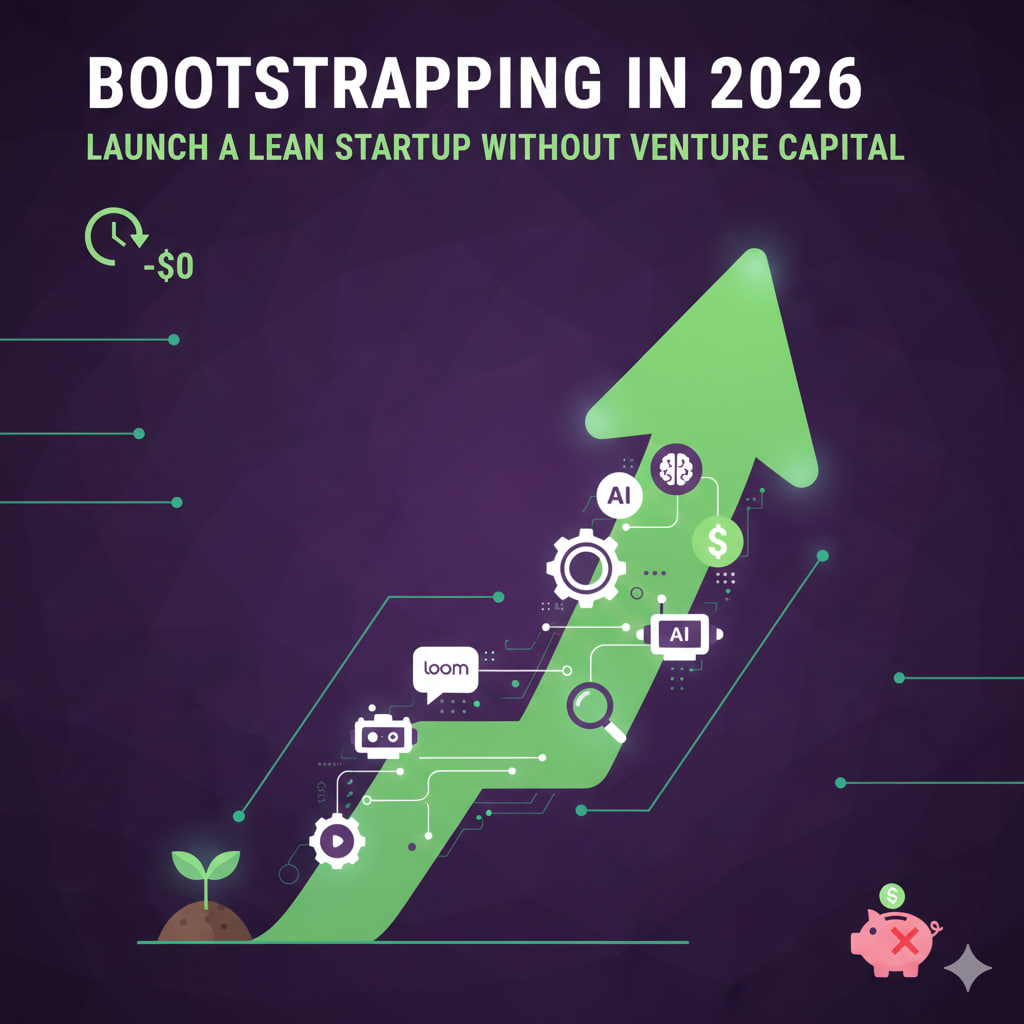
    The era of “growth at all costs” fueled by endless venture capital is being replaced by the era of the Efficient Entrepreneur. In 2026, the barrier to entry has never been lower, thanks to a mature AI landscape and “vibe coding” tools that allow non-technical founders to build what used to require a team of ten.

    Bootstrapping isn’t just about being frugal; it’s about maintaining 100% ownership and building a business that is profitable by design, not by accident.


    🛠️ The 2026 “Zero-Capital” Tech Stack

    You no longer need a $50k engineering budget to ship a Minimum Viable Product (MVP).

    • The “Vibe Coding” Layer: Tools like Base44 or Bubble’s AI agent allow you to describe an app in plain English and watch it generate the code, database, and UI in real-time.
    • The AI Employee: Use Gemini or ChatGPT Pro as your fractional CMO, copywriter, and junior developer. They can handle SEO strategy, draft legal terms, and debug the code your no-code tools generate.
    • The Operations Hub: Connect everything with Zapier or Make to automate customer onboarding, invoicing, and support without hiring an ops manager.

    🎯 The “Lean” Strategy: Behavior-Based Validation

    In 2026, “Lean” doesn’t mean cheap; it means ruthless prioritization. Don’t waste time on “vanity validation” (likes or email signups). Instead, look for cost-based commitment:

    1. The Pre-Sale: Ask users to pay a discounted “founding member” fee before the product is fully built.
    2. The Workflow Test: Can your user complete their “core task” (e.g., generating a report or booking a service) with your bare-bones tool? If not, you’re building too much.
    3. The 10% Rule: Keep 90% of your focus on the one feature that solves the biggest pain point. Ignore the “nice-to-haves” until you have 100 paying customers.

    📣 Organic Growth: Beating the Paid Ad Trap

    With ad costs at an all-time high, bootstrapped startups must win through Authority and Community.

    • The Personal Brand ROI: Founders who document their “Build in Public” journey on LinkedIn or X (Twitter) attract customers for free. Transparency builds trust that a $10,000 ad campaign cannot.
    • AI-Enhanced Content: Use tools like Writesonic or Surfer SEO to find gaps in AI search results (SGE) and position your content as the definitive answer for niche problems.
    • Referral Loops: Build your marketing into the product. If your tool helps a user create a report, make that report shareable with a “Powered by [Your Startup]” link.

    📉 Survival Metrics for the Self-Funded

    Forget “Monthly Active Users.” If you’re bootstrapping, these are the only numbers that matter: | Metric | Why it Matters in 2026 | | :— | :— | | Burn Rate | How many months you can survive if revenue hits zero today. | | LTV / CAC | Your customer’s lifetime value must be at least 3x what it cost to get them. | | Time to Revenue | The number of days from “Idea” to “First Dollar.” Aim for < 30 days. |


    The 2026 Reality: A solo founder with a $200/month software budget can now out-execute a VC-backed team of twenty. Your greatest advantage is your speed to pivot—use it.